Divining Rods - Waterfall VFX Breakdown
Hello! This is my breakdown of a waterfall VFX I made for Divining Rods! I hope this breakdown can help bring insight or knowledge to help oneself create their own.
-------------------------
For a breakdown on my water shader, that is shown on the large plane under the waterfalls, and as well as used in the water tube itself, stay tuned! I will make a detailed breakdown for that as well.
-------------------------
Let's begin!
The first step to breaking down an effect is to see what real-life versions (if applicable) are available to observe and understand.
Waterfalls, at the most basic of understanding, have three parts: The water tube itself, the panning whitewater caustic effect along the tube, and the ripple effect coming from the base of the tube.
There are, of course, a few more pieces that can be easily overlooked, such as the water vapor plume where the water tube meets the water plane, dramatic white water just at the top of the tube to define its shape and speed more, water droplets around the base, and additional movement lines and other VFX spice enhancing methods.
----
With this in mind, I started by modeling the 4 models I would need for this to work.
The Water Tube Mesh (Water Tube)
Duplicating The Front+Side Facing Faces of the Water Tube (Panning Caustic)
Duplicating Only The Upper Top Facing Faces of the Water Tube (Additional Movement Lines)
The Waterfall’s Bottom Plane (Panning Ripple) (We will use multiple of this model)
----
Then I started making various materials to accomplish my needs. Most of these are simple panning textures from the central point outwards.
Looking at my provided shader graph for panning a texture from the center point of a plane-like mesh. I used a ditherTemporalAA node at the end to get a faded effect on the edges of the fade.
By placing these onto our outer meshes, and transforming or stretching them to fit our needs, we can begin building our waterfall’s outer skin.
Whatever water shader one uses, just make sure that the caustic is panning downwards on the mesh, so that it emulates the flowing of water. A fresnel function is recommended in the water material to achieve a variety in color from the sides to the center of the mesh.
---
Our lower vapor “fog” is a simple Niagara particle that is a dissolving low poly sphere.
---
Now with our magic powers of VFX and models, we can fully assemble our waterfall in any shape or size.
Hope this tutorial helped in some way, thanks for reading!

Preview and TitleCard

Preview of Completed Assets. With an assembled, non-material applied example on the far left.

Examples of Various Sizes and complexity of sibling-assets.

Visual Breakdown for what I wanted to achieve and what was observed in real life.

My UE4 Material for a circularly outwards panning Image.

My waterfall's base water vapor uses a Niagara System with two emitters. They are simple 3D model emitters that erode over time.
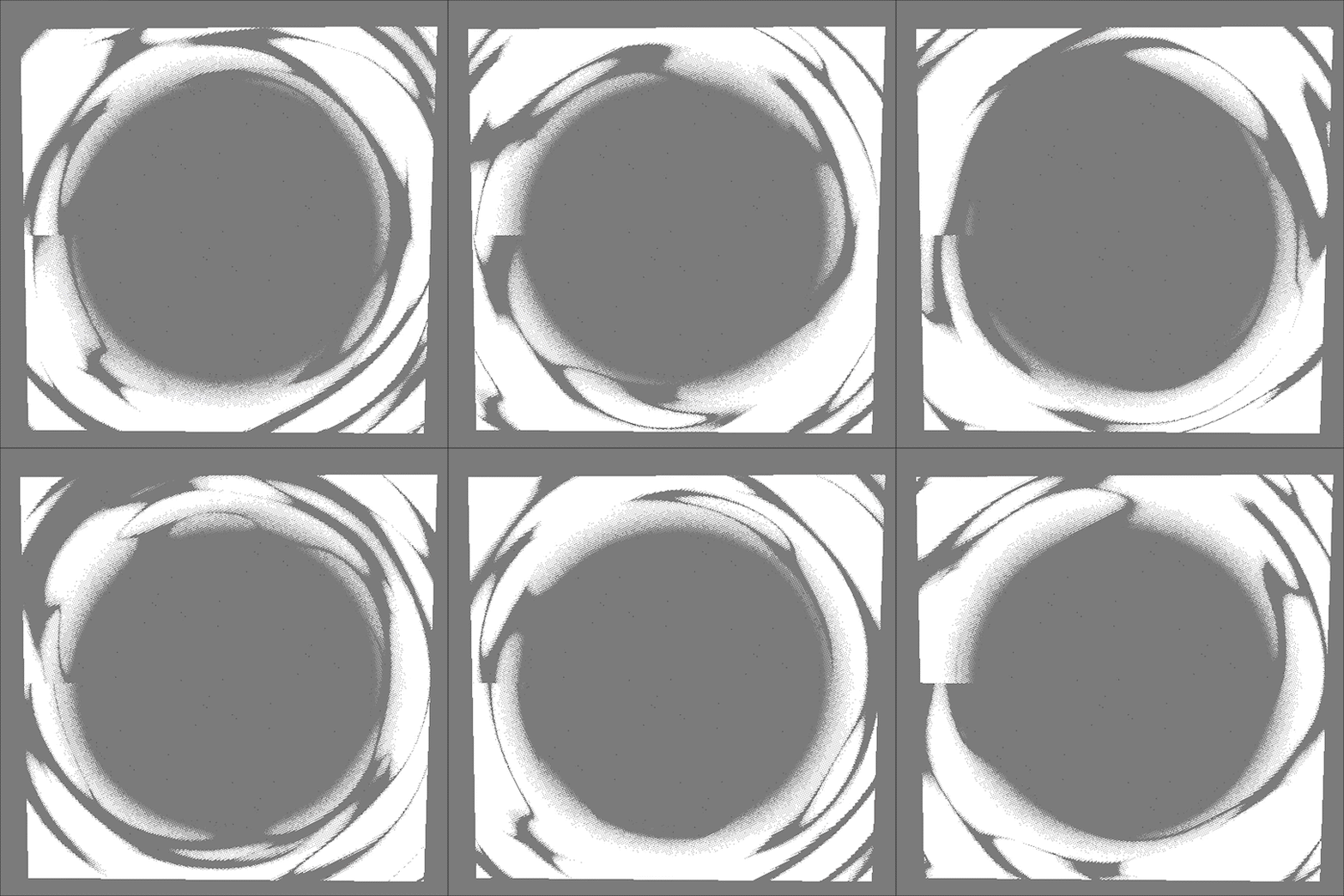
Waterfall tube outer whitewater effect. I used a inverted voronoi texture here! This is applied to a rounded tube around the waterfall base.

Waterfall "Floor" Water Movement Effect #1. This is applied to a rounded disc at the bottom of the waterfall. I used a noise texture for this one.
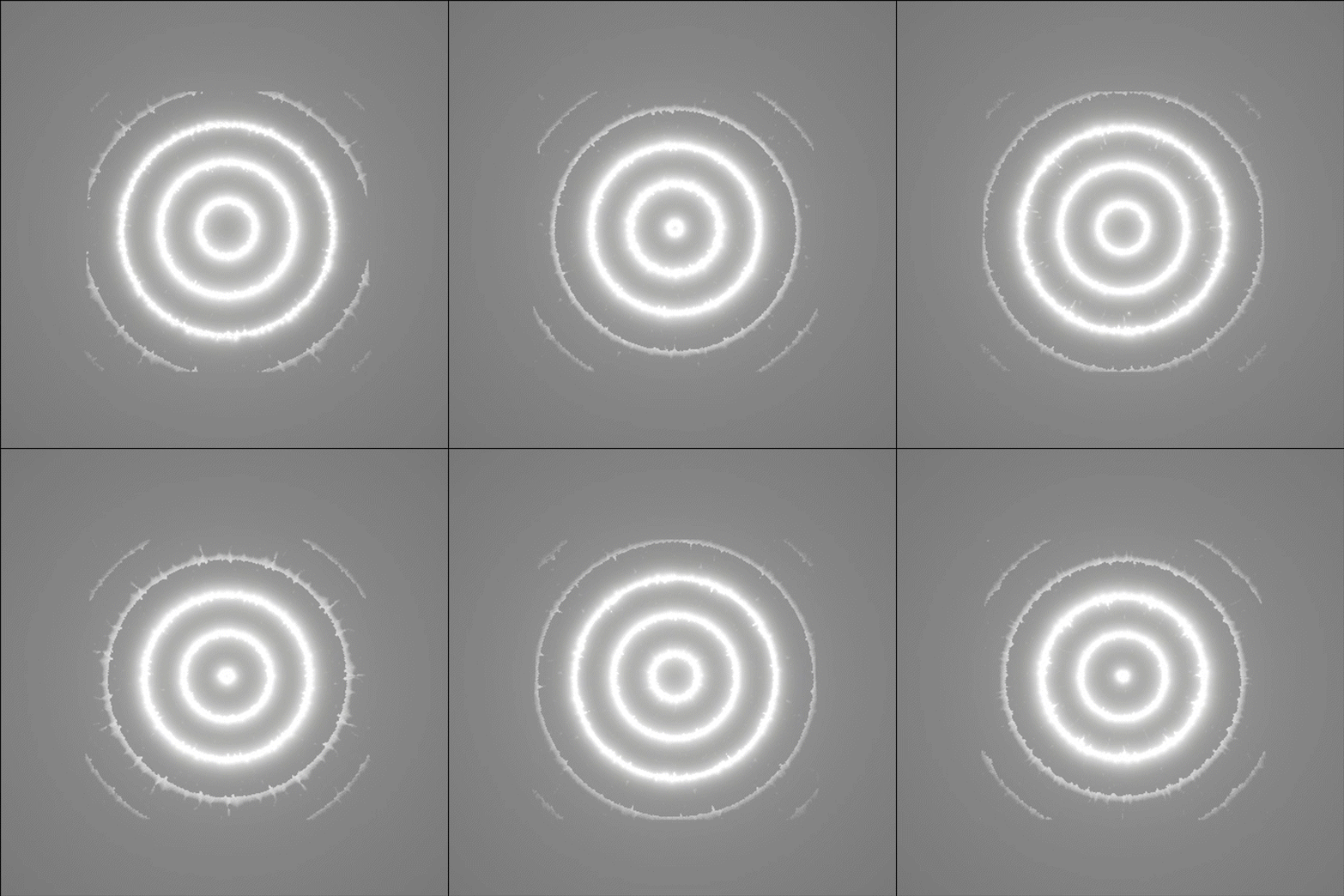
Waterfall "Floor" Water Movement Effect #2. This is applied to a rounded disc at the bottom of the waterfall. I used a hand-made thick circle texture with some noise on the edges for this one.

Waterfall "Floor" Water Movement Effect #3 This is applied to a rounded disc at the bottom of the waterfall. of the waterfall. I used a hand-made thick circle texture with minor wiggles for this one.

Waterfall Top Whitewater Movement Effect. This is applied to a curved plane at the sitting on top of the waterfall tube. (See next image.)

This is the texture I made for the top-sitting white-water effect from the previous image. It is distorted vertically via the UV's of curved plane that sits on the top of the water tube.